
For Windows 10 and 11
Save the last minute of any game.
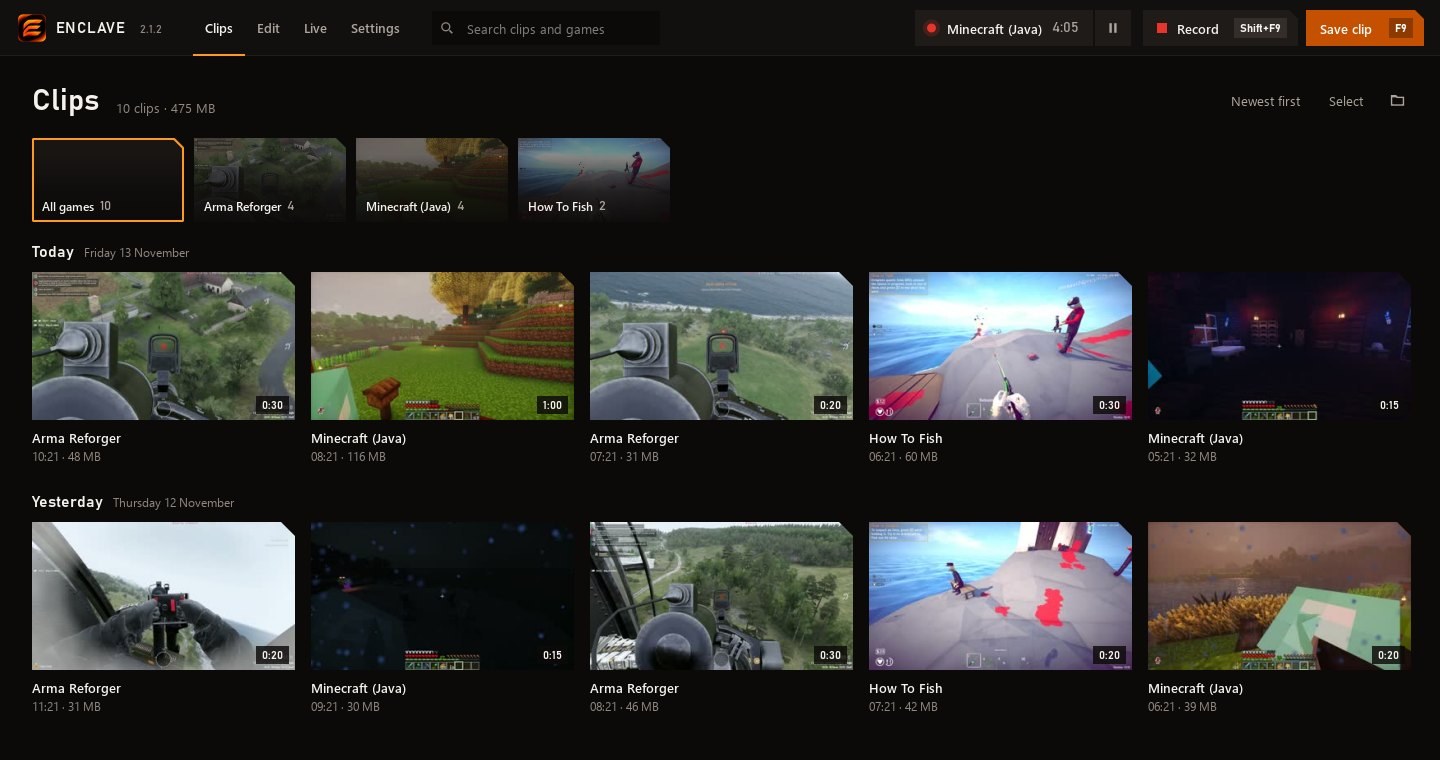
Enclave records in the background. Press F9 and what just happened is a clip. Cut it, add text, stream it or share it, all in one app.
Download Enclave127 MB
Version 2.1.2 · November 13, 2026 · Windows 10 and 11, 64-bit
F9Saves the last minute, or however long you set
Shift+F9Records the whole session
5:00Kept in the background, always ready to clip
What it does
- It starts when your game does. Enclave notices the game and records it, with the game's sound and your mic. Between games it keeps the desktop, so there's always a clip to grab.
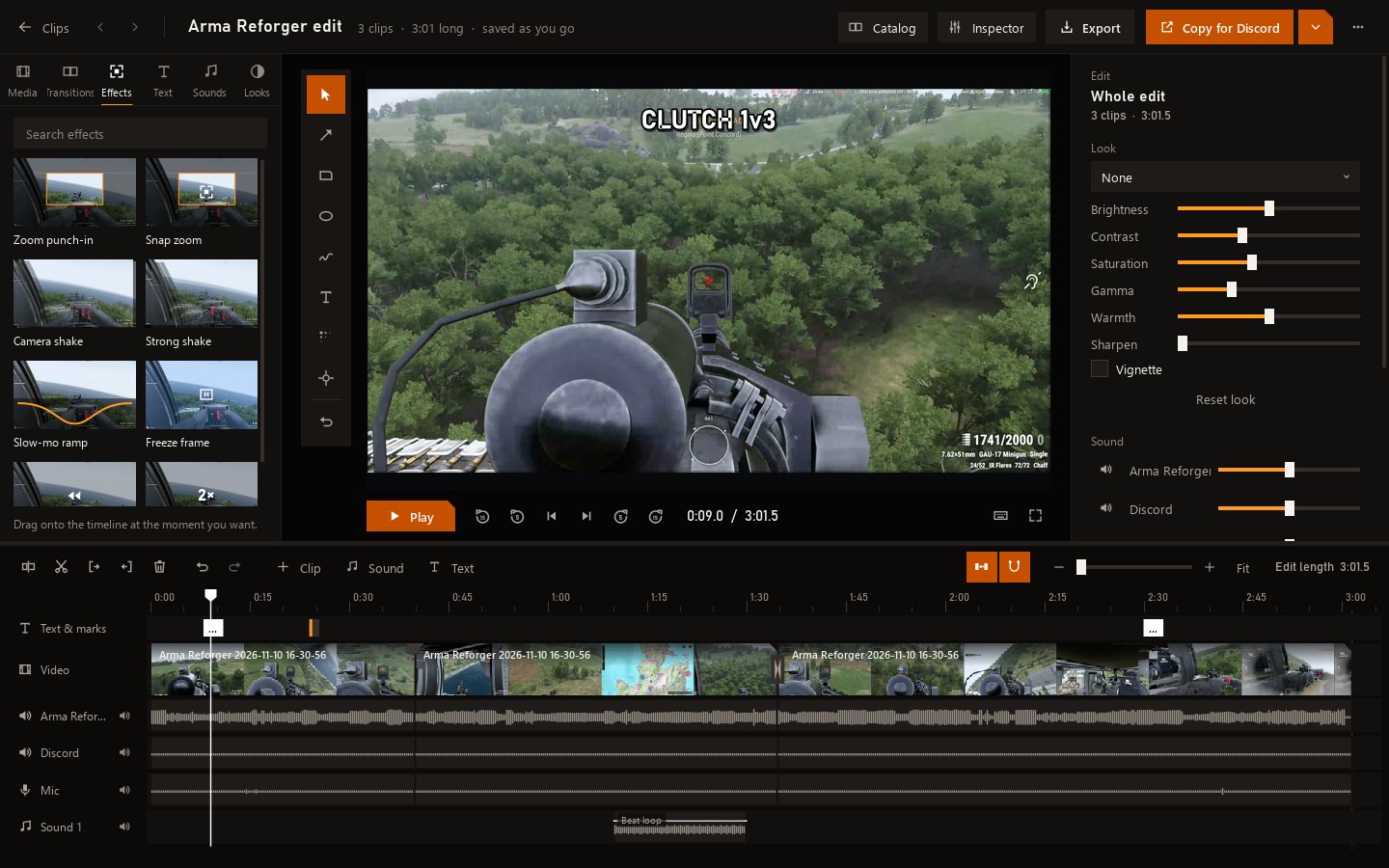
- An editor built in. Cuts, text, zooms, shakes, slow motion, transitions and sounds on a timeline. Pick several things at once and move them together.
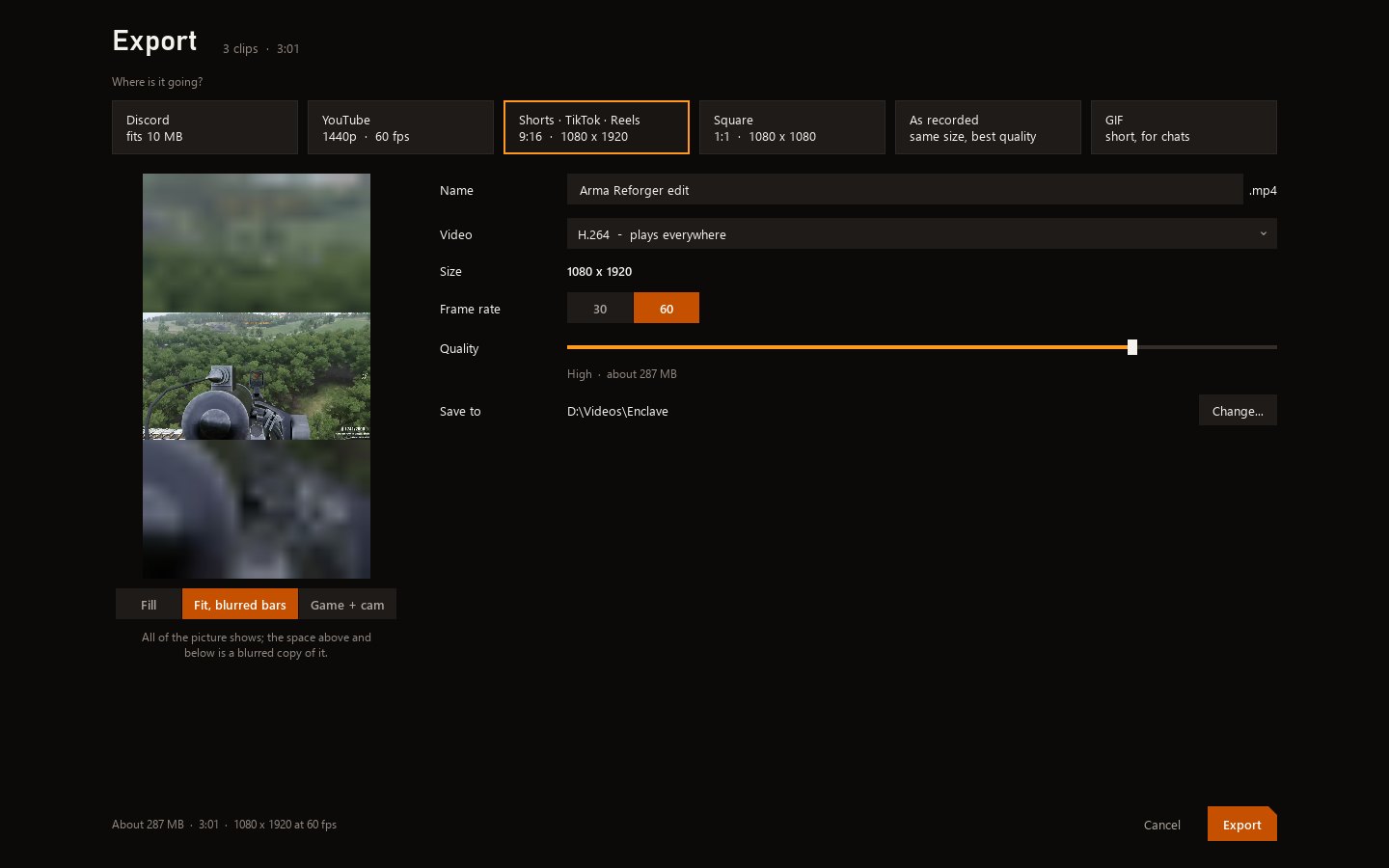
- Exports for where it's going. YouTube, Shorts and TikTok, Discord, square, or a GIF, each framed and sized for it.
- Shares to Discord. It shrinks the clip to fit and posts it for you.
- Goes live. Stream to Twitch or YouTube with scenes and layers: your game or a window, your camera, pictures and text.
- A clean mic. An AI takes out keyboard clicks, fans and hum, and keeps your voice.
- Uses your graphics card. NVIDIA, AMD or Intel do the recording, so your game keeps its frame rate. HDR games look the way you saw them.
- Updates itself. When a new version is out, a bar at the top says so. One click and it's done.
What's new in 2.1.2
November 13, 2026Pick several at once
- Added picking several things at once. Ctrl+click them, or drag a box over the timeline.
- Move them together. Drag one and they all go.
- Delete, copy, duplicate or mute them all at once. Their speed and volume change together in the side panel.
- Ctrl+A picks everything.
Ranges
- Added ranges. Press Shift+I and Shift+O, or Shift+drag along the time ruler, to mark part of your edit.
- Play a range on a loop.
- Export just a range. Handy for making a Short.
- Cut a range out. What comes after it moves up to fill the gap.
Updates
- Added updates. When a new version is out, a bar at the top says so. Press Restart and update and it's done.
- It never interrupts. It waits while you're live, recording or exporting.
- Settings > Updates shows your version and looks for a new one.
- enclave.us.com has the newest Enclave and what's new in it.
Fixed
- Export works when your edit has a zoom or camera shake.
Help
Windows says it protected your PC
Enclave is new, so Windows doesn't know it yet. Click More info, then Run anyway.
Updates
Enclave looks for a new version when it starts and every few hours. When one is ready, a bar at the top of the window says so. Your clips and settings stay.
What it needs
A 64-bit PC with Windows 10 (version 1809 or newer) or Windows 11. It records with your graphics card, and works without one too.